
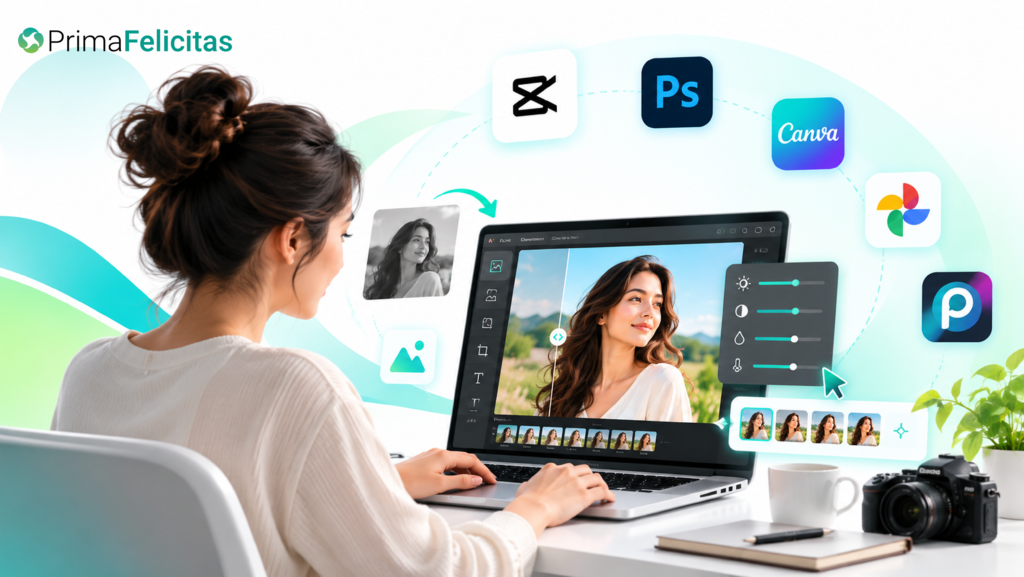
AI photo editing has changed the way people create, refine, and prepare images for everyday use. Tasks that once required detailed knowledge of professional editing software can now be completed with a few instructions, selections, or automated adjustments. In 2026, AI-powered editors are becoming useful for photographers, marketers, social media creators, online sellers, designers, and casual users alike. From removing unwanted objects to changing backgrounds, improving image quality, and generating creative variations, these tools can reduce repetitive work while giving users more control over the final result. The growing range of options also means that choosing the right editor depends on the type of images you work with, your editing experience, and how much creative control you need.
1. CapCut
CapCut has expanded beyond traditional video editing to include a growing collection of AI-powered image creation and editing features. Its tools are designed for creators who need to prepare visual content quickly for social platforms, marketing campaigns, websites, and other digital channels. AI-assisted workflows can help with tasks such as background changes, image enhancement, object adjustments, and creative transformations.
One particularly interesting development is the use of newer generative image technologies for more flexible editing. Users can experiment with descriptions and visual instructions rather than manually changing every element. A Nano Banana 2.5 photo editing tool can be useful for exploring AI-assisted transformations where speed and creative flexibility are important.
CapCut is especially practical for people who already create social media content because image and video workflows can be handled within a familiar creative environment. Instead of switching between several applications for every small task, creators can use AI features alongside their broader content-production process.
2. Adobe Photoshop
Adobe Photoshop remains one of the most recognized names in professional image editing, and its AI capabilities have significantly expanded the software’s traditional workflow. Generative features can assist users with adding, removing, extending, or modifying elements within an image.
One major advantage of Photoshop is the combination of AI automation with detailed manual controls. Professional users can still work with layers, masks, selections, color adjustments, filters, and other advanced tools while using AI to speed up repetitive tasks.
This makes Photoshop particularly useful when an image needs both creative experimentation and precise finishing. A designer might use AI to generate a background concept and then manually refine lighting, shadows, colors, and composition. The result is a workflow where automation handles time-consuming portions without eliminating human control.
3. Canva
Canva has become a popular choice for people who want professional-looking visual content without spending years learning complex editing software. Its AI-powered features extend into image editing, design generation, background modification, and other creative tasks.
The platform is especially useful for marketers, small businesses, educators, and social media managers. Users can combine photographs with templates, text, illustrations, presentations, and promotional layouts in the same workspace.
For example, a business owner could upload a product image, remove its original background, place it into a promotional design, and adapt the result for different social platforms. AI reduces the amount of manual preparation required, allowing users to spend more time deciding what they want the final design to communicate.
4. Google Photos
Google Photos has gradually introduced smarter editing capabilities that make common image improvements accessible to a broad audience. Its strength is convenience because many users already store their photographs within the platform.
AI-assisted tools can help improve composition, remove distractions, adjust lighting, and make other changes that previously required a separate editing application. This is particularly useful for people who primarily want to improve personal photographs rather than create elaborate commercial designs.
The platform demonstrates an important trend in 2026: AI editing is increasingly becoming part of everyday photo-management software rather than existing only inside specialized creative applications.
5. Pixlr
Pixlr provides browser-based photo editing with AI-supported features, making it convenient for users who prefer not to install heavyweight desktop software. Its tools cover many familiar editing requirements while adding automation for tasks that can otherwise consume significant time.
The web-based approach is useful for students, freelancers, marketers, and occasional editors who need access from different devices. Users can work with images through a browser and perform tasks such as background removal, enhancement, and creative modifications.
Pixlr can also be useful for people who want a balance between straightforward editing and more advanced creative options. Its AI features can handle some repetitive work while traditional editing controls remain available for users who want additional adjustments.
6. Fotor
Fotor combines conventional photo editing with AI-powered enhancement and creative features. It is designed around relatively accessible workflows, making it suitable for users who want to improve photographs without navigating an extremely complicated interface.
AI can be useful for correcting common image problems, enhancing details, removing unwanted elements, or creating variations of existing visuals. These capabilities can be particularly helpful for social media content where users may need to process several images quickly.
For online sellers, Fotor-style AI workflows can also simplify product-image preparation. Clean backgrounds, balanced lighting, and consistent presentation can make a collection of product photographs look more organized.
7. Picsart
Picsart is another platform that has embraced AI for creative image editing. Rather than focusing exclusively on traditional photography adjustments, it combines editing with design and visual experimentation.
Its AI capabilities can help users transform photographs, remove backgrounds, generate visual elements, and experiment with different creative concepts. This makes the platform appealing to social media creators who often want images that feel more expressive than simple photographs.
The ability to combine AI features with stickers, text, effects, templates, and other design elements also makes Picsart useful for creating social posts and promotional graphics. Users can begin with an ordinary photograph and gradually turn it into a more stylized visual.
8. Luminar Neo
Luminar Neo takes a photography-focused approach to AI editing. It is particularly relevant to photographers who want intelligent assistance with tasks such as lighting, portrait improvements, sky replacement, and other image enhancements.
AI can analyze aspects of a photograph and help users make changes without manually adjusting every parameter. For photographers working with large collections of images, this can reduce the amount of repetitive editing required.
At the same time, Luminar Neo offers more traditional controls for users who want to refine the result. This combination makes it useful for photographers who want automation but still care about maintaining a deliberate visual style.
9. PhotoRoom
PhotoRoom focuses heavily on practical image creation for products, businesses, and online content. One of its major strengths is simplifying background removal and replacement.
For an online seller, photographing a product is only the first step. The image may need a clean background, consistent framing, improved lighting, and a format suitable for an online marketplace. AI-powered editing can accelerate many of these steps.
PhotoRoom is therefore particularly relevant to entrepreneurs and small businesses that need polished product visuals without maintaining a full-time design team. It can also be useful for creating advertising images and social media content from basic product photographs.
10. Remini
Remini is widely associated with AI-based image enhancement, particularly when users want to improve photographs that are blurry, low-resolution, or lacking detail. Enhancement technology can be useful when the original image is not ideal but still contains valuable visual information.
This type of tool can be especially helpful for older photographs, mobile images, portraits, and pictures captured in challenging conditions. However, users should remember that AI enhancement does not always recover genuine detail. In some cases, it creates a visually plausible interpretation of missing information.
That distinction matters when accuracy is important. For creative or personal use, an enhanced result may be perfectly acceptable, but professional applications may require closer inspection.
How to Choose the Right AI Photo Editing Tool
The best tool for a particular project depends largely on what you need to accomplish. There is no single AI editor that is ideal for every user or every type of photograph.
If you need professional control, applications such as Photoshop and Luminar Neo provide extensive editing environments. If simplicity and quick social content are more important, Canva, CapCut, Picsart, or similar platforms may be more convenient.
For product photography, specialized tools such as PhotoRoom can reduce the time required to create clean commercial images. Meanwhile, users primarily interested in restoring or improving existing photographs may benefit more from enhancement-focused platforms.
It is also worth considering how an AI tool handles privacy, file formats, image resolution, commercial usage, and export limitations. These details can become important when images are being used for client projects, advertising, or business purposes.
How AI Is Changing Photo Editing in 2026
The biggest change is not simply that AI can perform individual editing tasks. It is that image editing is becoming increasingly instruction-based.
Instead of searching through menus and manually adjusting dozens of settings, users can increasingly describe what they want. For example, an editor may be able to identify an unwanted object, change a background, modify an image’s atmosphere, or create a new visual variation based on a short instruction.
This does not mean traditional editing skills are becoming irrelevant. Understanding composition, lighting, color, perspective, typography, and visual storytelling remains valuable. AI can accelerate execution, but human judgment is still important when deciding whether an image actually communicates the intended message.
Another important development is the combination of multiple AI functions in one workflow. Image generation, editing, enhancement, background removal, and design creation are increasingly being connected rather than treated as completely separate tasks.
Tips for Getting Better Results From AI Photo Editors
Start with a high-quality original whenever possible. AI can improve an image, but a clear source generally gives the system more useful information to work with.
Be specific when describing the desired change. Instead of saying “make it better,” explain whether you want brighter lighting, a cleaner background, sharper details, warmer colors, or a different visual atmosphere.
Review AI-generated results carefully. Small problems involving hands, faces, text, reflections, shadows, or object edges can sometimes appear after automated editing. A quick manual review can prevent these issues from reaching the final version.
It is also useful to keep an untouched copy of the original photograph. AI editing can produce unexpected changes, and having the source file makes it easier to return to the starting point or try a different approach.
Finally, test several tools before committing to one. Different AI systems interpret the same image or instruction differently, and the best workflow may depend on your specific type of content.
Frequently Asked Questions
1. What is an AI photo editing tool?
An AI photo editing tool uses artificial intelligence to automate or assist with image-editing tasks. Depending on the platform, it may remove objects, replace backgrounds, enhance image quality, adjust lighting, generate new elements, or transform an existing photograph based on written instructions.
2. Are AI photo editors suitable for professional work?
Yes. Many AI editing platforms can be used for professional photography, marketing, advertising, social media, and design. However, professionals should review generated results carefully and check licensing, privacy, resolution, and commercial-use terms before using edited images for clients or paid campaigns.
3. Can AI editing replace traditional Photoshop skills?
AI can reduce the amount of manual work required, but traditional editing knowledge remains valuable. Understanding layers, masks, composition, color, lighting, and image quality helps users evaluate AI-generated results and make precise corrections when automation does not produce the desired outcome.
4. What should I look for when choosing an AI photo editor?
Consider the type of editing you regularly perform, ease of use, output quality, available AI features, export options, supported file formats, pricing, privacy policies, and commercial-use conditions. It is also useful to check whether the platform gives you enough manual control to refine AI-generated results.
Conclusion
AI photo editing tools in 2026 offer a faster way to handle many tasks that once required extensive manual effort. From professional applications such as Photoshop and Luminar Neo to accessible platforms such as Canva, CapCut, Picsart, and PhotoRoom, users now have a wide range of options for different creative needs. The most useful tool depends on the project, the level of control required, and the type of images being edited. AI works best when treated as an assistant rather than an automatic replacement for creative judgment. By combining intelligent automation with careful human review, creators can produce polished images more efficiently while still maintaining control over their visual style and final results.
